Features · Workspace Manager
Every project,anchored to the vision.
Strategy and day-to-day work stay aligned across every workspace, so effort goes to priorities.
Alignment
Stay on course, week after week.
When daily work drifts from the vision, you see where, and each insight comes with a next step to bring it back.
- Work Patterns across every workspace
- A Monthly Review of the month’s direction
- Any insight opens straight into a conversation
Direction
One strategy, every project.
One strategy at the top gives every Focus Area and Initiative its direction, so local choices add up to the bigger goal.
Your Vision Statement sets the destination, with an optional deadline. Your Mission Statement is your plan for reaching it, kept as a draft until you mark it final. Both sit above every workspace.
Strategy sessions, whiteboard work, and high-level notes collect in the Workspace Manager’s Work Summary, so the thinking behind the direction stays in one place.
The Workspace Manager sits at the top. Beneath it come your Main Workspaces, then Focus Areas, then Initiatives, so every piece of work traces back to the same direction.
Workstream Database
Every workspace, top down, at a glance.
From the Main Workspace down to every Initiative and item inside it, in one table to group by workspace or phase, filter, and search.
Every row lines up against the PRISM phases, so you see where each workstream sits and where work is gathering.
Search runs across the whole table, collapsed rows included, and opens the path to every match.
Grouping and filters stay as you left them. Save any setup as a view and return to it in one click.
Momentum
Keep every initiative moving.
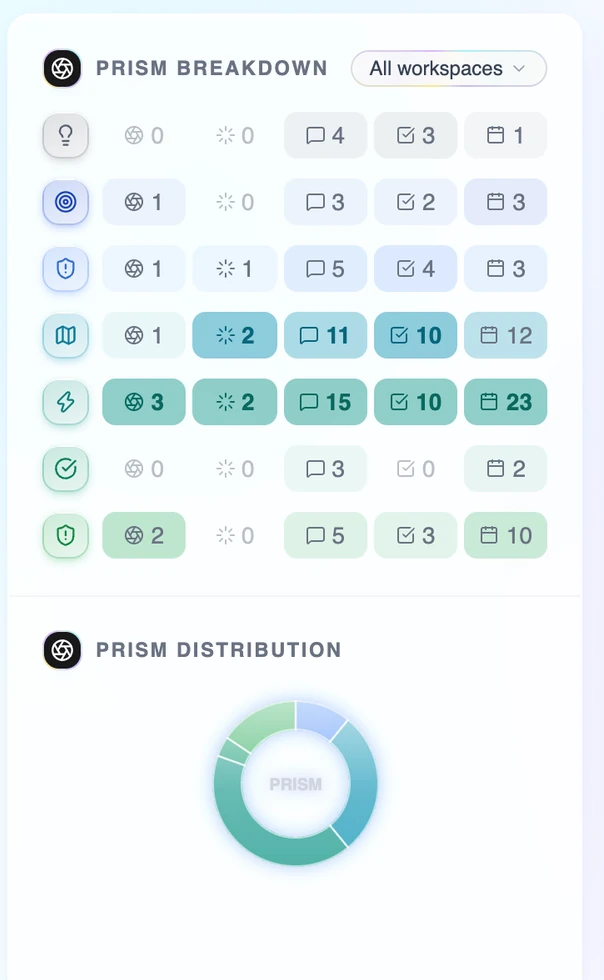
When work piles up in research or rushes past validation, the imbalance shows early, along with the stage that needs attention.
- The PRISM Breakdown by phase
- Filter by workspace
- The PRISM Distribution at a glance
Capacity
Your time, on priorities.
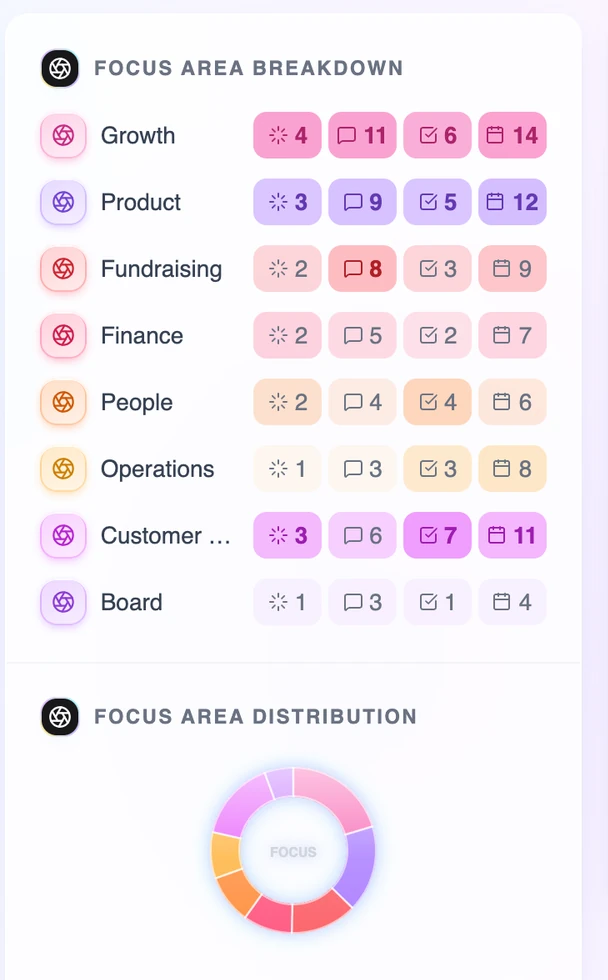
When low-priority work quietly takes more time than it deserves, you see it in time to rebalance, before capacity runs out.
- Activity by Focus Area
- The Focus Area Distribution at a glance
- Rates set at every level
Awareness
State-aware. Context-structured.
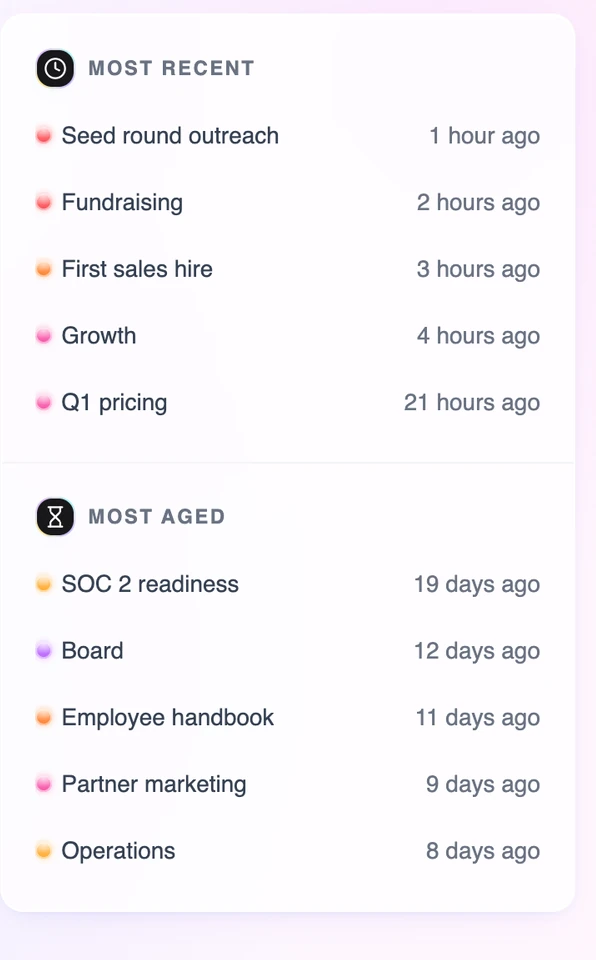
Every workspace knows what’s active, what has stalled, and where each piece of context belongs, so nothing goes stale unnoticed.
- Most recent and most aged, side by side
- A Pulse check against every Work Summary
- Context filed to its own workspace
Scale
Scales as you grow.
From one person to the whole organization, with access, sharing, and reporting at every level.
- View, Edit, and Co-own access
- A Change Log on every workspace
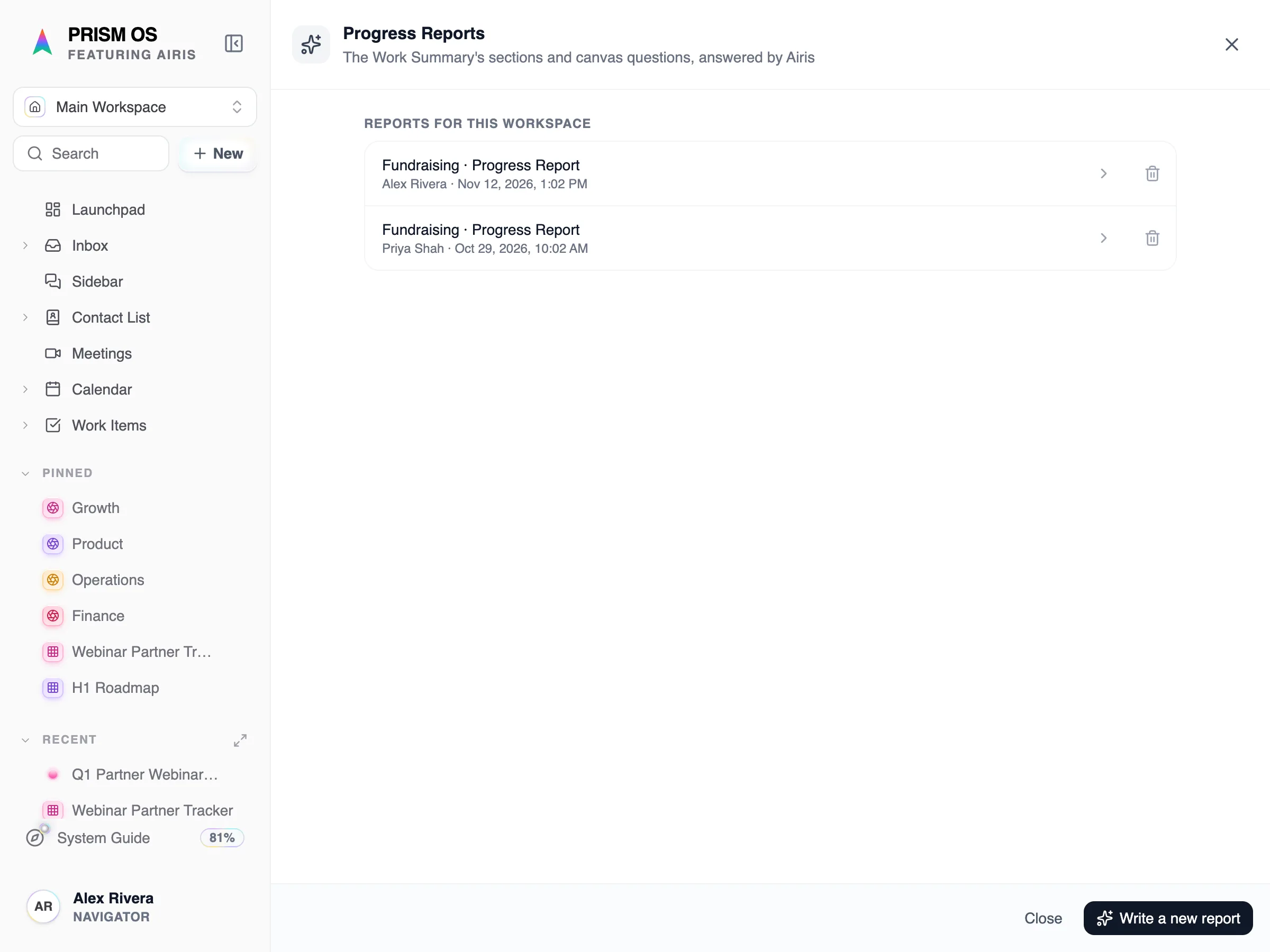
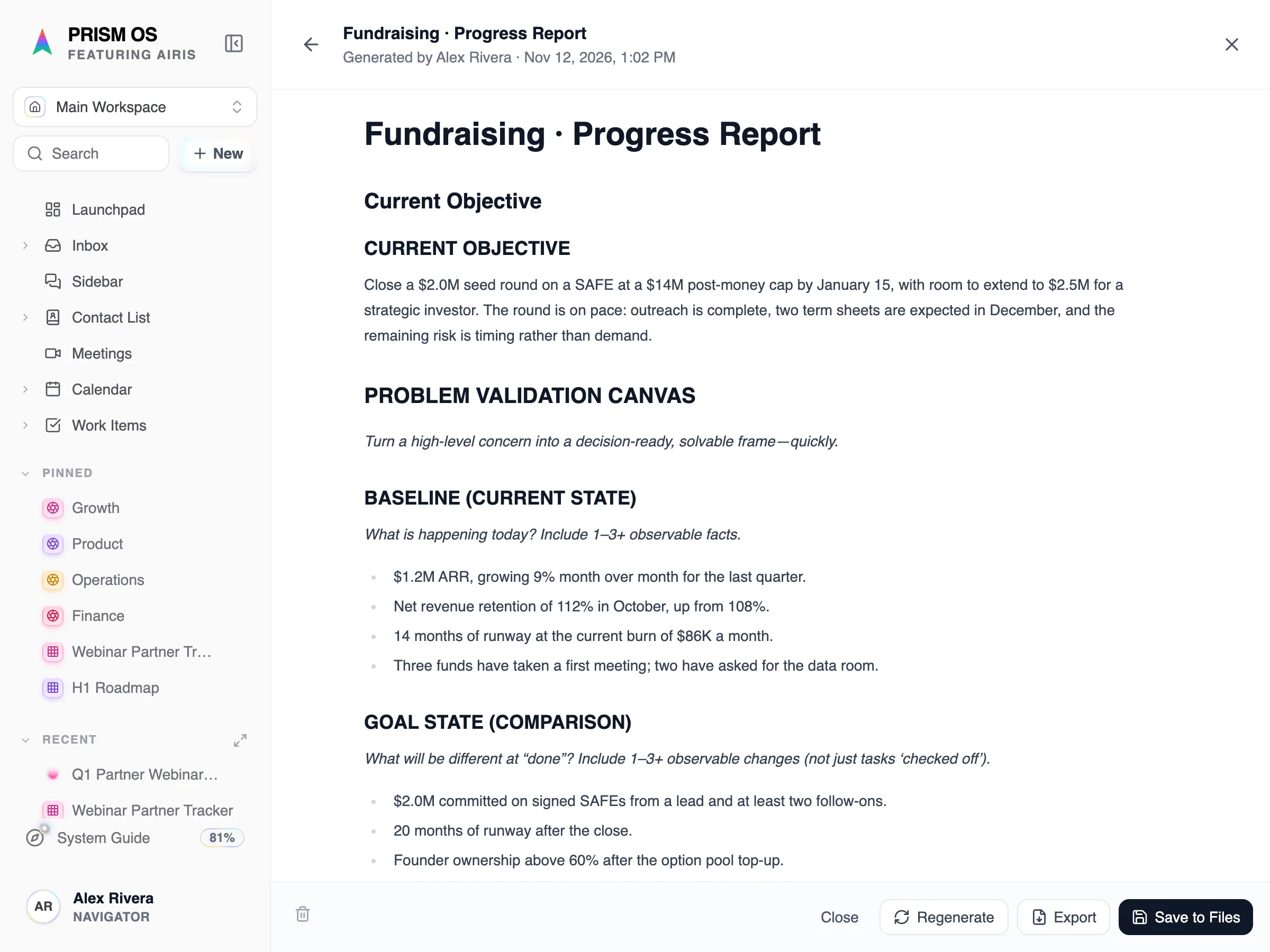
- Summary and progress reports, ready to share
Common questions.
Who can see the Workspace Manager?
Only people with access to the work it covers.
How is it different from a Launchpad?
A Launchpad gives the current state of the work. The Workspace Manager shows how it is trending over time.
Does it work for a team?
Yes. Workspaces take co-owners, teammates, and advisors, each with their own access.
Focus on the work. Keep the big picture.
Start free with a LENS analysis — plans sized for individuals and teams.